| VisualTrader Real-Time set up using using eSignal |
| To set up Real Time VT you will need to ensure your system options are set correctly |
| First ensure you have installed the eSignal data and followed all instructions from the mail sent to you by eSignal - note that your eSignal password will be required in VisualTrader. |
| Watch Visual Trader Videos from here |
| Check list of common problems |
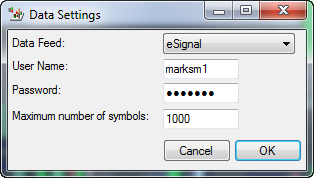
| Have you loaded up your eSignal username and password |
| Edit Data Settings |
![]() |
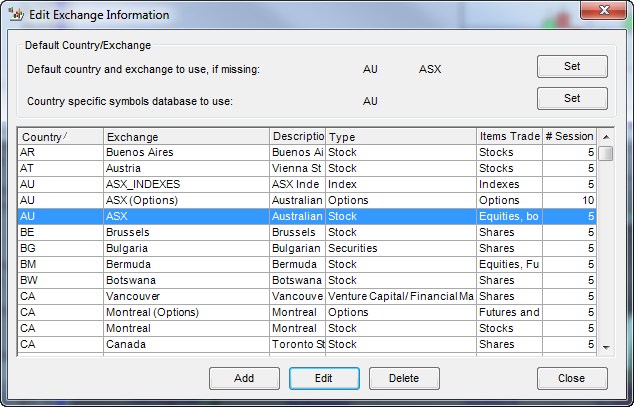
| Make sure your adjust your set up exchange from US to AU exchange - do not change the set times |
| Edit Data Settings |
![]() |
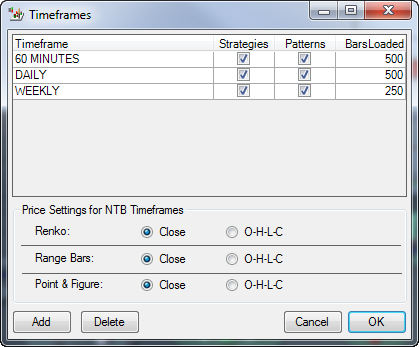
| Your time frames include 5 and 15 minutes |
| Edit Data Settings |
|
![]() |
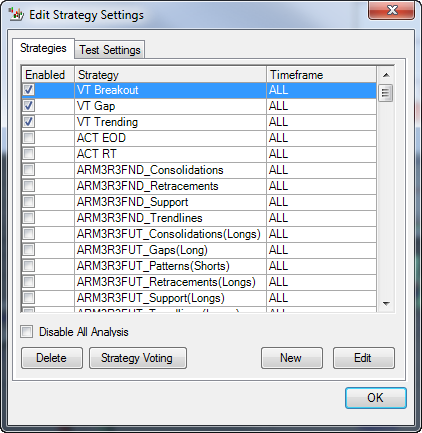
| Your To Do list strategies have include "RT" options already ticked |
| Edit Strategies |
![]() |
| You may want to add other modules such as Guppy-Darvas, the standard system only has the 3 strategies shown - to access more strategies you can purchase additional modules |
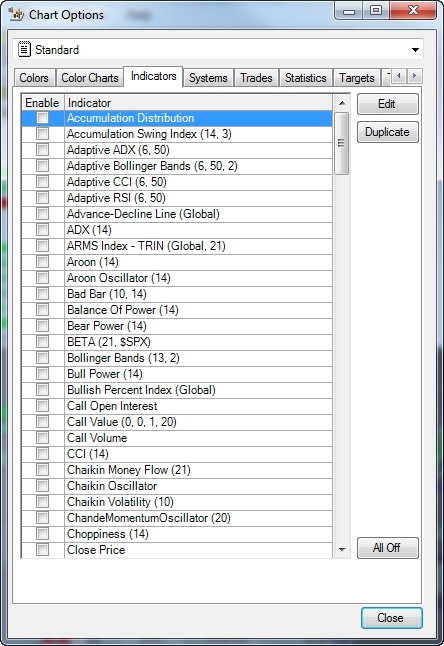
| Set up the Chart you want as the default |
| Edit Chart Options |
|
![]() |
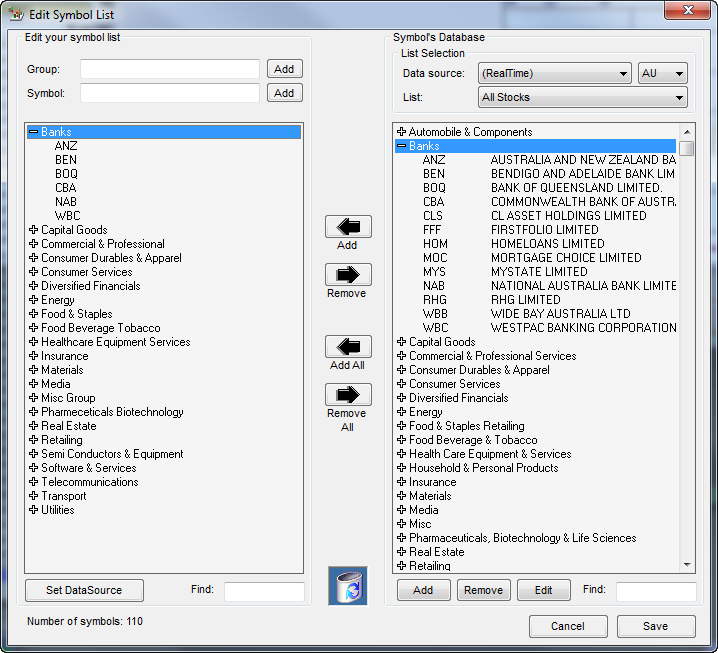
| To set up your Symbols List - add a group name then key in symbols in the form shown, then SAVE |
| Edit Symbol List |
| Make sure data source is Nirvana and Country is AU |
| Note that you usually are limited by eSignal to a maximum of 200 symbols per focus list or map |
![]() |
| Looking up Symbols from eSignal |
|
For Shares and Indexes
Foreign Exchange
|
| To get pre formatted Australian Maps click here |
| See screen display examples for OmniTrader |
| Help with share selection and industry lists then click here |