| Australian RT VisualTrader Maps |
|
Download a sample Australian VisualTrader Map |
- The software does not come with Australian specific industry
maps - it only comes with a master symbol data base by industry
sectors which allow you to create your own map
- The following additional maps are provided to help you get going
fast. Companies have been sorted into industry groups for you. You should use the sector allocations at your own risk and
ensure that they confirm with your analysis
- These maps are for Real Time (eSignal) Users and must be
saved in the VisualTrader directory normally located as follows:
C:\Program Files\Nirvana\VisualTrader\profiles
- Your standard
eSignal standard installation only allows a approx 200 symbols
to be live connected to eSignal at one time - so you may need to delete symbols
to stay within the limit. You can upgrade eSignal to 500
symbols in any one map, contact us.
|
|
The maps will work with VT9 but make sure that you are using the
latest Version of VT9 before using the maps (otherwise some symbols may
not be available). Use the following link to check for the latest
version |
 |
|
Download the following sample maps |
|
Name |
|
|
|
ASX major
indexes |
ASX
Large Industrial and Resource Companies |
|
|
ASX share game
symbols list 2012 |
ASX Sector Map based
on the table below |
|
|
Save in directory
C:\Program Files\Nirvana\VisualTrader9\profiles
(if using visualtrader9) |
|
|
|
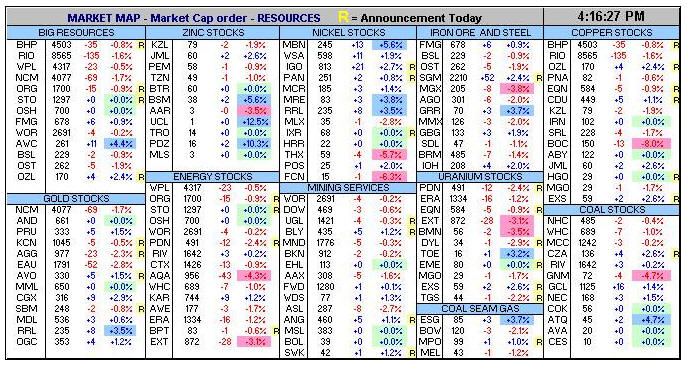
Examples of Resource companies |
 |
|
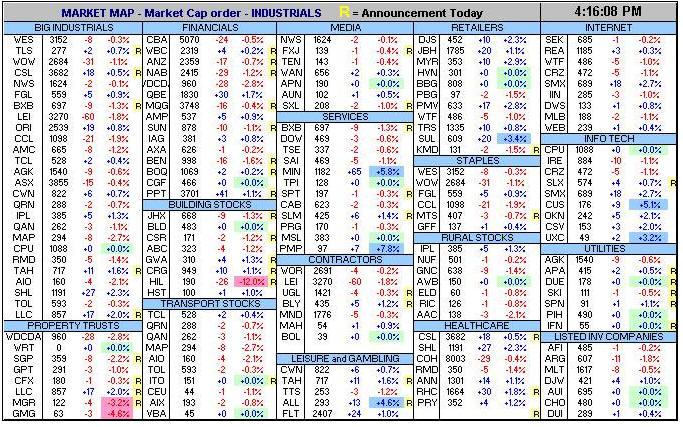
Examples of Industrial companies |
 |
|
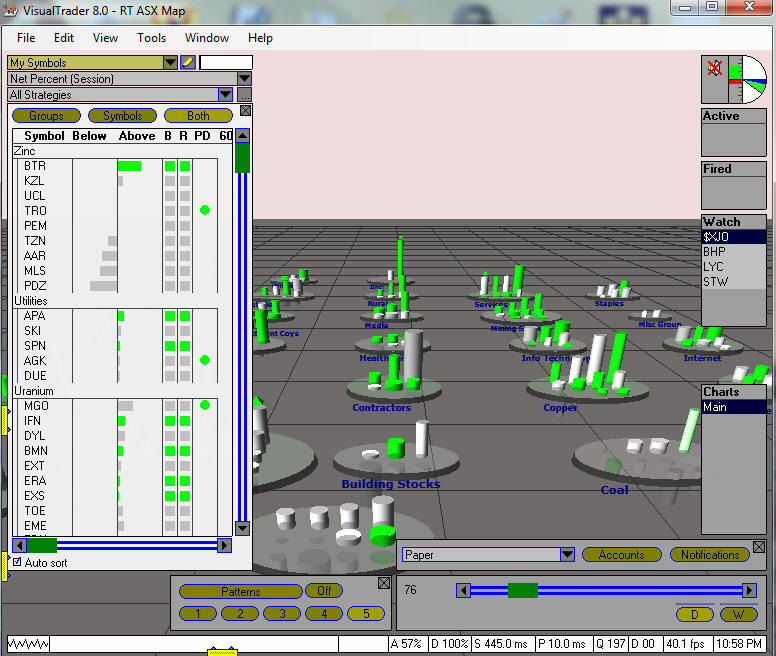
Example of The Map |
 |