- Corporate Doctor will send you additional instructions but following are the general purpose instructions
- First ensure you have installed the eSignal data software and followed all instructions from the mail sent to you by eSignal - note that your eSignal password will be required in OmniTrader for those who have Real Time version of OmniTrader
- The real time data provided from eSignal can only be accessed via OmniTrader and Visual Trader - you can not access the eSignal platform using the software link and the special rates we have obtained for users
- Also ensure you have fully installed the OmniTrader software and download the lasted upgrades from Nirvana, this can be accessed via HELP in OmniTrader.
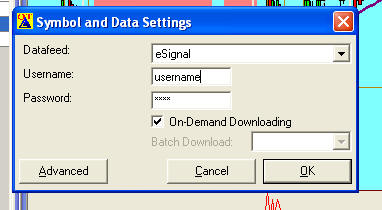
- Make sure your set up includes the ASX exchange and times
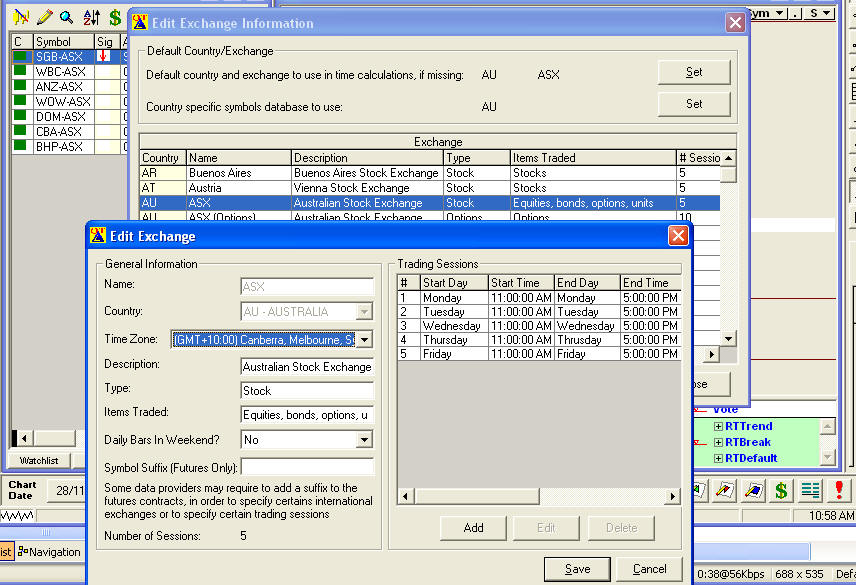
- Ensure you have set the country exchange to AU, you do this by clicking on Edit then Exchange, also change the symbols database - once done close and re open OmniTrader
- Change the times to (10-4 ) to ensure that the daily chart correctly sets up open and close prices, the intra day will accumulate all per and post market settlement numbers. The following screen is the default
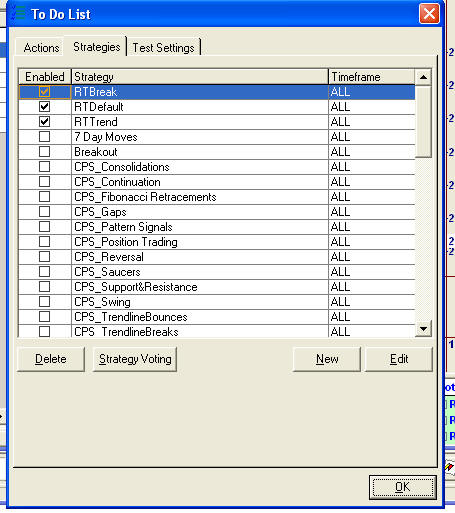
- Start a NEW Focus list and select the real time option, do not add to the US default list which opens when you first start OmniTrader
- When you enter the codes into the symbols they it can be done either via the symbol button at the top of the screen
- or via the pencil icon on the focus list
- or via input of a symbols list using say an csv file
- For shares enter the codes in the form "BHP"
- For indexes it is in the form "$XAO"
- there is no need to any longer enter codes in format "ANZ-ASX"